Table of Contents
Structures
The Structures block allows users to create additional structures that may be needed when building a treatment plan. This block allows for new structure creation using modifications of existing structures only. These modifications include boolean combinations, expansions/contractions, rinds, and clipping (i.e. splitting by a plane).
General Structure Options
- Type: Set the type of the new structure (Target, OAR, Avoidance, etc)
- Type may be left blank to allow it to be “inherited” from the type of the base structure
- Color: Display color for the new structure
- Description: Optional, user specified text describing the new structure
Structure Creation Options
The following is a detailed explanation of each of the structure modification functions that may be used to create or edit structures within the application.
Combination
Allows for the combination of two or more structures using set (boolean) operations. The user must choose which type of set operation they desire to create the new structure.

- Union - Combine two or more structures. The resulting new structure will contain the regions that are within ANY of the selected structures. Structures are selected from a series of simple drop down menus.

- Intersection - Use only the overlap of two or more structures. The resulting new structure will include only the regions that are in ALL of the selected structures. Structures are selected from a series of simple drop down menus.

- Difference - Subtract one or more structures from a base structure. The resulting new structure will include the regions that are in the first structure but not the others. The base structure is selected from the first drop down. The structures to subtract are then selected from the next series of simple drop down menus.

- XOR (Exclusive OR) - Combine two or more structures with exclusivity. The resulting new structure will include regions that are within an odd number of structures only and will exclude areas that are within an even number of structures. Two or more structures need to be chosen from the drop down to create the new structure. The shaded areas in the examples below show the new structure and demonstrate the XOR functionality. The non-shaded regions would be excluded from the new structure.


Expansion
Allows for creation of a new structure as an expansion or contraction of an existing structure. The base structure is selected from a simple drop down menu. An expansion is performed by entering a positive number for the expansion amount. Conversely, a contraction is performed by entering a negative number for the expansion amount. Structures may be expanded in two dimensions (structure will only expand/contract within its original slice planes) or three dimensions (structure will expand onto other slices as a true 3D expansion). Please note that the resulting structures are still slice based entities, therefore an expansion by an amount less than a single CT slice thickness may not result in the structure expanding out to additional slices.

Rind
Allows for creation of a new structure as a thin ring around the surface of an existing structure. The base structure is selected from a simple drop down menu and then both an inner margin and outer margin are specified. Inner margin is the thickness of the ring toward the inside of the existing base structure. Outer margin is the thickness of the ring outside the existing base structure. Negative margins are permitted, however, care must be used to ensure valid entries are used. It should also be noted that the resulting rind structures are still slice based entities, therefore rind thicknesses may not be fully uniform at the superior and inferior ends, as contours are limited by the CT slice positions.

Clipped
Creates a new structure by splitting an existing structure by a user defined plane (and discarding the portion on the positive side of the plane). Any existing structure may be selected for splitting from a simple drop down menu. The split plane is defined by a single point and a normal vector pointing away from the portion of the structure that will be kept. The normal vector is defined by its three direction components XYZ and the point may be selected (or created) from the available point list menu. The XYZ normal vector directions refer to patient coordinates so that X is left-right, Y is ant-post, and Z is inf-sup (note: if the “wrong” side of the structure is removed, simply reverse the direction of the normal vector by changing the sign of each XYZ value).

Working with Structures
This section walks the user through the creation of a of a new planning structure (an expansion structure is used herein for illustration purposes).
- Open the Structures block
- This will open the patient Structures list
- Click the Create New Structure button at the bottom of the list
- Next, choose the Type of structure that should be created from the drop down menu at the top (or leave this blank to “inherent” the type from the base structure)
- Change the Color and enter a Description if desired
- Then, select the method of creation desired for the new structure: Combination, Expansion, Rind, or Clipped (see above for details about each method)
- Choose the required structures and enter any other required information for this method and then click Create to complete the new structure
- For this expansion structure, the base structure and the expansion amount are all that is required
- Once a structure has been created, it can be edited, cloned, or deleted by clicking on the structure and then clicking on the appropriate button
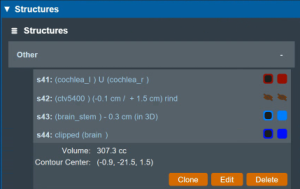
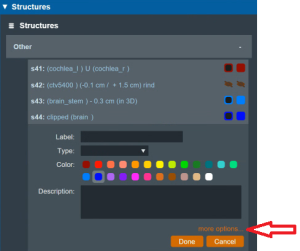
- Note that when editing a structure, only simple options are immediately presented to the user, if further editing of the structure is needed, simply click on more options to open the full structure editing task which allows for editing of all structure options